Field Notes
Solar Operations Software: What Growing Installers Should Look For
Learn what solar operations software should include for growing U.S. installers managing projects, permits, crews, finance, and PTO.

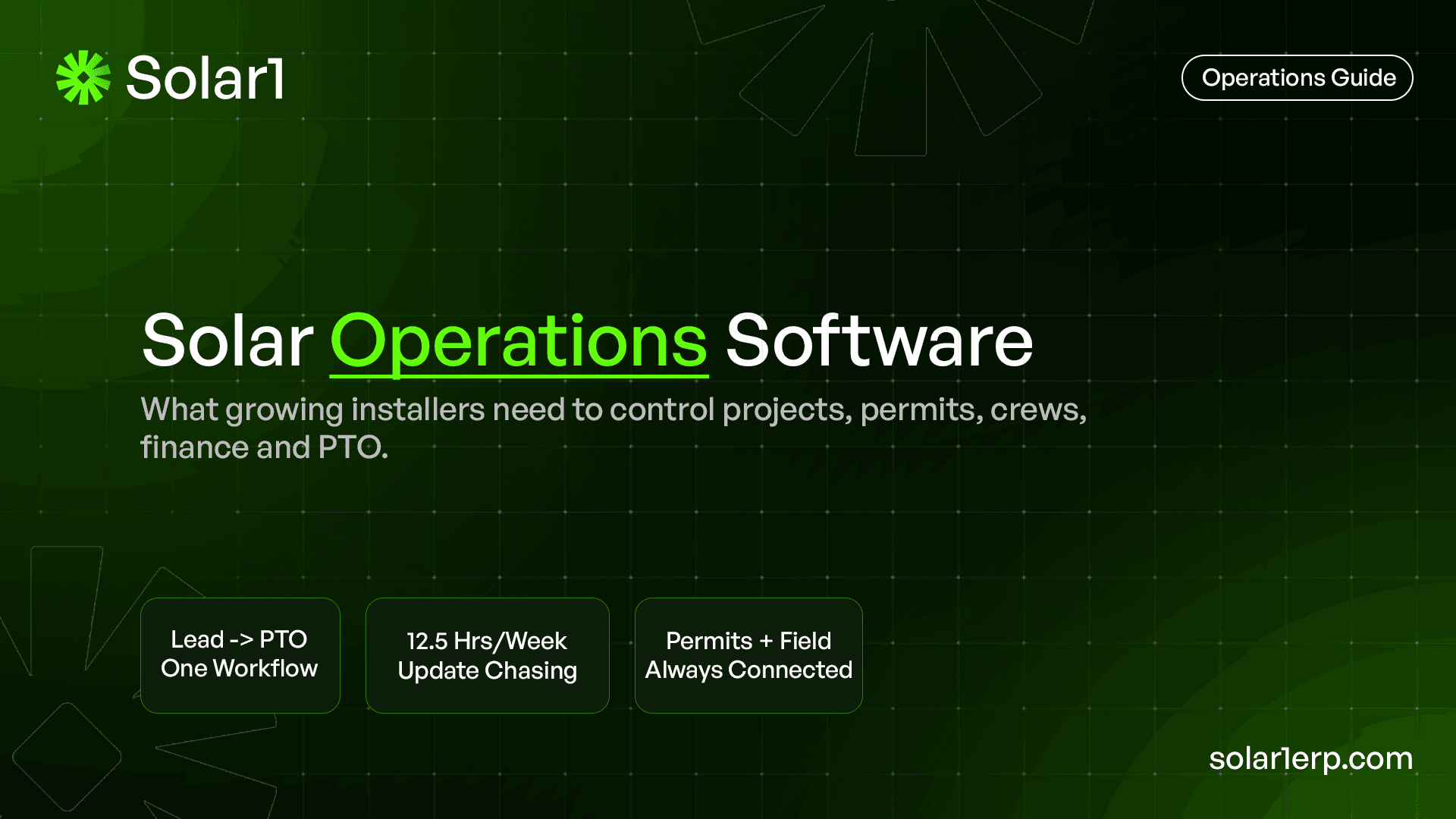
Good solar operations software does not just track projects. It shows what is stuck, who owns it, and what it costs.
That is what growing installers need.
Not another task board.
Not another spreadsheet with better colors.
Not another place to paste updates.
A real solar operations system should help the whole company move from lead to PTO without guessing.
What is solar operations software?
Solar operations software helps installation companies manage the work that happens after a lead becomes a real project. It connects project stages, permitting, interconnection, field work, inventory, finance milestones, customer updates, and reporting in one operating workflow.
For a small installer, operations might still live inside a spreadsheet, a shared drive, a group chat, and someone’s memory. That can work when the company has a few jobs and one person knows every detail. It becomes painful when the team starts managing more active projects, more AHJs, more utilities, more crews, and more handoffs.
The simple purpose of solar operations software is visibility. The team should be able to answer: Which projects are moving? Which permits are stuck? Which installs are ready? Which jobs are waiting on PTO? Which milestones can finance bill? Which project needs attention today?
If the software cannot answer those questions quickly, it is not really running operations.
Why does this matter for U.S. solar installers in 2026?
U.S. installers are working in a market where operational discipline matters. SEIA and Wood Mackenzie reported that the U.S. solar industry installed 7.8 GWdc in Q1 2026, a 27% decline from Q1 2025. Their Q2 2026 report also points to permitting bottlenecks and lengthy equipment timelines as continued headwinds.
That kind of market does not reward messy execution. If project timelines stretch, every internal delay becomes more expensive. A missed permit follow-up, unclear crew schedule, late inventory check, or delayed invoice trigger can hurt cash flow and margin.
The U.S. Department of Energy defines solar soft costs as including design, siting, permitting, installation, interconnection, financing, customer acquisition, workforce training, supply chain, inventory control, and operating overhead. These are the exact areas where solar operations software should help.
In other words, the problem is not only sales. It is the cost and complexity of getting projects through the system.
What problems should solar operations software solve first?
The first problem is scattered project truth.
In many solar companies, the sales team has one version of the project, the permitting person has another, the field team hears updates late, and finance waits for someone to confirm whether a milestone is ready. The owner only sees the full picture after asking multiple people or sitting through another status meeting.
Solar operations software should reduce that chasing.
The best starting point is not a fancy dashboard. It is a clean project record that shows the current stage, next action, owner, blocker, due date, permit status, interconnection status, install readiness, field notes, customer notes, and billing milestone.
If your team still needs to open a CRM, a spreadsheet, a chat thread, a folder, and an accounting tool just to know what is happening, the operations system is not connected enough.
What should growing installers look for?
Growing installers should look for software that supports the full solar project lifecycle, not just one department.
A solar job moves through several teams. Sales closes the deal. Design needs site data. Permitting needs documents and AHJ details. Procurement needs the equipment list. The field team needs site readiness and the latest scope. Finance needs to know when to invoice. The customer wants updates. The owner wants bottleneck visibility.
That means the software should connect work across departments.
At minimum, look for:
- Lead-to-project handoff
- Project stage tracking
- Permit and AHJ tracking
- Interconnection and PTO status
- Crew schedule and install readiness
- Field updates from mobile
- Inventory and BOM visibility
- Finance milestones and invoice triggers
- Customer communication notes
- Management dashboards
- Stuck-project reporting
A simple rule: if the software only helps one team, it may not be operations software. It may just be a departmental tool.
What is the difference between solar operations software and project management software?
Project management software usually tracks tasks. Solar operations software should connect those tasks to the business workflow.
A project board can show “permit submitted.” That is useful, but solar operations needs more detail. Which AHJ? What revision was requested? Who owns the response? Is the install schedule affected? Is equipment ready? Has the customer been updated? Can finance bill anything yet?
That is where normal project boards often become stretched. Teams start adding custom columns, extra spreadsheets, manual reminders, and side conversations. After a while, the project board looks organized, but the actual business process is still scattered.
Solar operations software should treat the solar project as an operating workflow, not just a group of tasks. It should connect permitting, field work, inventory, finance, and reporting so the team can see the business impact of every delay.
Solar operations software vs basic project tools
| Area | Basic project tool | Solar operations software |
|---|---|---|
| Main purpose | Track tasks and due dates | Control the full solar workflow |
| Best for | Small teams and simple coordination | Growing installers with many handoffs |
| Project stages | Custom boards or columns | Solar-specific stages from lead to PTO |
| Permitting | Notes or task cards | Permit status, AHJ details, comments, resubmissions |
| Interconnection | Usually manual | Utility application, approval, and PTO tracking |
| Field work | Comments and attachments | Crew schedule, site readiness, photos, install updates |
| Inventory | Usually separate | Connected to projects and install readiness |
| Finance | Usually separate | Milestones, invoices, job costing, cash visibility |
| Owner visibility | Task completion reports | Bottlenecks, margin risk, cash triggers, stuck projects |
| Risk if used alone | Looks organized but misses operational impact | Needs proper setup and team adoption |
This is why growing installers often move from task tracking to operations software. The question changes from “what tasks are open?” to “what is blocking the business?”
What dashboards should solar operations software include?
A useful dashboard should not just show activity. It should show risk.
For solar installers, the owner or operations manager needs a weekly view of the business. They should be able to see which projects are stuck, what stage they are stuck in, who owns the next step, what is close to install, what is waiting on inspection, what is waiting on PTO, and what can be invoiced.
Good dashboards include:
- Active projects by stage
- Permits stuck by AHJ or age
- Interconnection applications pending
- Installs scheduled this week
- Projects not ready for install
- Failed or pending inspections
- PTO waiting list
- Invoice-ready milestones
- Projects with missing documents
- Workload by team member
- Margin or job cost flags
The best dashboard is not the prettiest one. It is the one that helps the team make better decisions before a delay becomes expensive.
How should software handle permitting and interconnection?
Permitting and interconnection should not be buried inside notes.
For U.S. installers, AHJ and utility variation can create real operational drag. One county may need a different document set. One utility may have a different approval process. One permit comment may delay the install schedule. One PTO delay may hold back final payment or customer satisfaction.
Solar operations software should give permitting and interconnection their own visible workflows. The team should see permit submitted date, current status, AHJ, correction notes, resubmission dates, inspection status, utility application status, approval status, and PTO status.
NREL’s SolarAPP+ performance review found that a typical SolarAPP+ project was permitted and inspected 14.5 business days sooner than traditionally permitted projects in 2023. Solar operations software does not replace AHJs or automated permitting platforms, but this data shows why better process visibility matters.
How should software support field teams?
Field teams need the latest truth without calling the office every time.
A crew should know where to go, what scope to install, what materials are expected, whether the site is ready, what photos are required, what notes came from design, and what changed since the job was scheduled. If those details live in chat messages or old PDFs, the field team becomes exposed to avoidable mistakes.
Solar operations software should support mobile updates, site photos, install completion notes, issue reporting, and crew schedule visibility. It should also connect field updates back to the office so operations and finance can act quickly.
For example, if an install is complete, the system should make the next steps obvious: inspection scheduling, customer update, documentation, finance milestone, and interconnection follow-up. Field work should not disappear into a message thread.
How should operations software connect to finance and margins?
This is where many solar teams lose money quietly.
A project may look fine operationally, but finance might not know that a billing milestone is ready. Or the job may be delayed, but nobody sees the cash impact. Or extra material and rework may happen in the field, but the margin impact is not visible until later.
Solar operations software should connect project progress to financial events.
That means milestone tracking, invoice triggers, job costing, change notes, material visibility, payment status, and margin risk. The point is not to turn every project manager into an accountant. The point is to make sure operations and finance are not disconnected.
Here is a simple example. If 10 projects worth $25,000 each are waiting on final completion or PTO before the next payment stage, that is $250,000 of project value sitting in the workflow. That does not mean all of it is profit or collectible immediately, but it shows why visibility matters.
What are signs your company has outgrown spreadsheets?
Spreadsheets usually break slowly.
At first, they feel flexible. Everyone can edit them. You can add columns. You can create tabs for permits, projects, installs, and billing. Then the team grows, project volume increases, and nobody knows whether the spreadsheet is still the real source of truth.
Common signs include:
- Multiple people keep their own project trackers
- Status meetings are spent correcting the spreadsheet
- Permit follow-ups depend on memory
- Field updates arrive in chat but never reach the main tracker
- Finance asks operations what can be invoiced
- Owners cannot see bottlenecks without asking around
- Old data stays in the sheet because nobody wants to clean it
- The same update is copied into three different places
A spreadsheet is not bad. It is just not a reliable operating system once the company needs live coordination across sales, operations, field, and finance.
What ROI should installers expect from operations software?
The ROI usually comes from saved admin time, fewer missed handoffs, better scheduling, faster billing visibility, and fewer surprises.
Here is an illustrative calculation. If five team members each spend 30 minutes per day chasing updates across spreadsheets, calls, chat, and meetings, that becomes:
5 people × 30 minutes × 5 days = 750 minutes per week
750 minutes = 12.5 hours per week
That is not an industry benchmark. It is a simple way to estimate internal time leakage. Your number may be higher or lower. But the exercise is useful because it turns “we are busy” into a real operating cost.
The second ROI layer is harder to measure but often more important: faster decisions. If your team can identify stuck permits, install readiness issues, inventory gaps, and billing triggers earlier, the company can protect schedule, cash flow, and customer experience.
What should you avoid when choosing solar operations software?
Avoid buying software only because the demo looks clean.
A polished interface is nice, but solar operations are messy. You need to know whether the system can support your actual workflow. If it cannot handle permits, field updates, interconnection, finance milestones, and reporting without forcing everything into generic task cards, the team may end up rebuilding the same spreadsheet chaos inside a prettier tool.
Also avoid systems that only work for one department. Sales-only software will not solve field problems. Project-only software may not solve finance visibility. Accounting-only software may not show what is stuck in permitting.
The strongest setup is one where each team can do its work, but the project truth stays connected. If the system creates another silo, it is not solving the root problem.
What should a growing installer evaluate before buying?
Before choosing software, map your current workflow from lead to PTO.
Do not start with feature lists. Start with one real job and write down every step it took to move from signed contract to installed, inspected, approved, and billed. Then identify where the team lost time, duplicated updates, waited for someone, or made decisions with incomplete information.
Use these questions:
- Where does the project officially start after sale?
- Who owns the first operations handoff?
- Where are AHJ requirements tracked?
- Where is interconnection status tracked?
- How does the field team receive updates?
- How does finance know when to invoice?
- How does the owner see stuck projects?
- Where does job costing or margin risk show up?
- What updates are copied manually?
- What information is still living in people’s heads?
If those answers are scattered, your company needs more than a better project board.
Where does Solar1 fit?
Solar1 is built for growing solar installers who need one operating workflow from lead to PTO.
The focus is not to add another tool for the team to babysit. The focus is to connect the parts of solar operations that usually drift apart: project stages, permits, interconnection, field updates, inventory, finance milestones, and management reporting.
For owners, Solar1 gives clearer visibility into what is moving and what is stuck. For operations teams, it reduces the need to chase updates across spreadsheets and chats. For field teams, it keeps job information closer to the work. For finance, it connects project progress to billing moments.
If your company is still running solar operations across spreadsheets, chat threads, project boards, and weekly status meetings, Solar1 is built for the stage you are entering.
The best next step is simple: take one active project and map every place the team needs to check for status. If the answer is more than one or two systems, it is time to look at a proper solar operations platform.
Frequently asked questions
1. What is solar operations software?
Solar operations software helps solar installers manage the full project workflow after and around the sale. It connects project stages, permits, interconnection, field work, inventory, finance milestones, reporting, and PTO visibility.
2. Is solar operations software the same as solar project management software?
Not exactly. Project management software usually tracks tasks and deadlines. Solar operations software should connect those tasks to permits, field readiness, interconnection, inventory, finance, job costing, and owner dashboards.
3. When does a solar installer need operations software?
A solar installer needs operations software when project updates are scattered across spreadsheets, chat, email, project boards, and accounting tools. It becomes especially important when multiple teams, AHJs, utilities, and crews are involved.
4. What features should solar operations software include?
It should include project stage tracking, permit visibility, AHJ details, interconnection status, crew scheduling, field updates, inventory visibility, finance milestones, reporting, and stuck-project dashboards.
5. Can solar operations software help with permitting delays?
It cannot control AHJ or utility timelines, but it can help teams track submission dates, comments, resubmissions, ownership, and follow-ups. That visibility helps prevent internal delays from making external delays worse.
6. Is Solar1 built for U.S. solar installers?
Yes. Solar1 is built for solar installation companies that need stronger operational control across projects, permitting, field work, finance, and PTO. The content in this guide is especially focused on U.S. installer workflows, with relevance for other markets too.