Field Notes
Solar ERP Implementation Plan: 30, 60, and 90 Days
Follow a practical 30-60-90 day solar ERP implementation plan for data, workflows, pilot testing, training, go-live, and adoption.

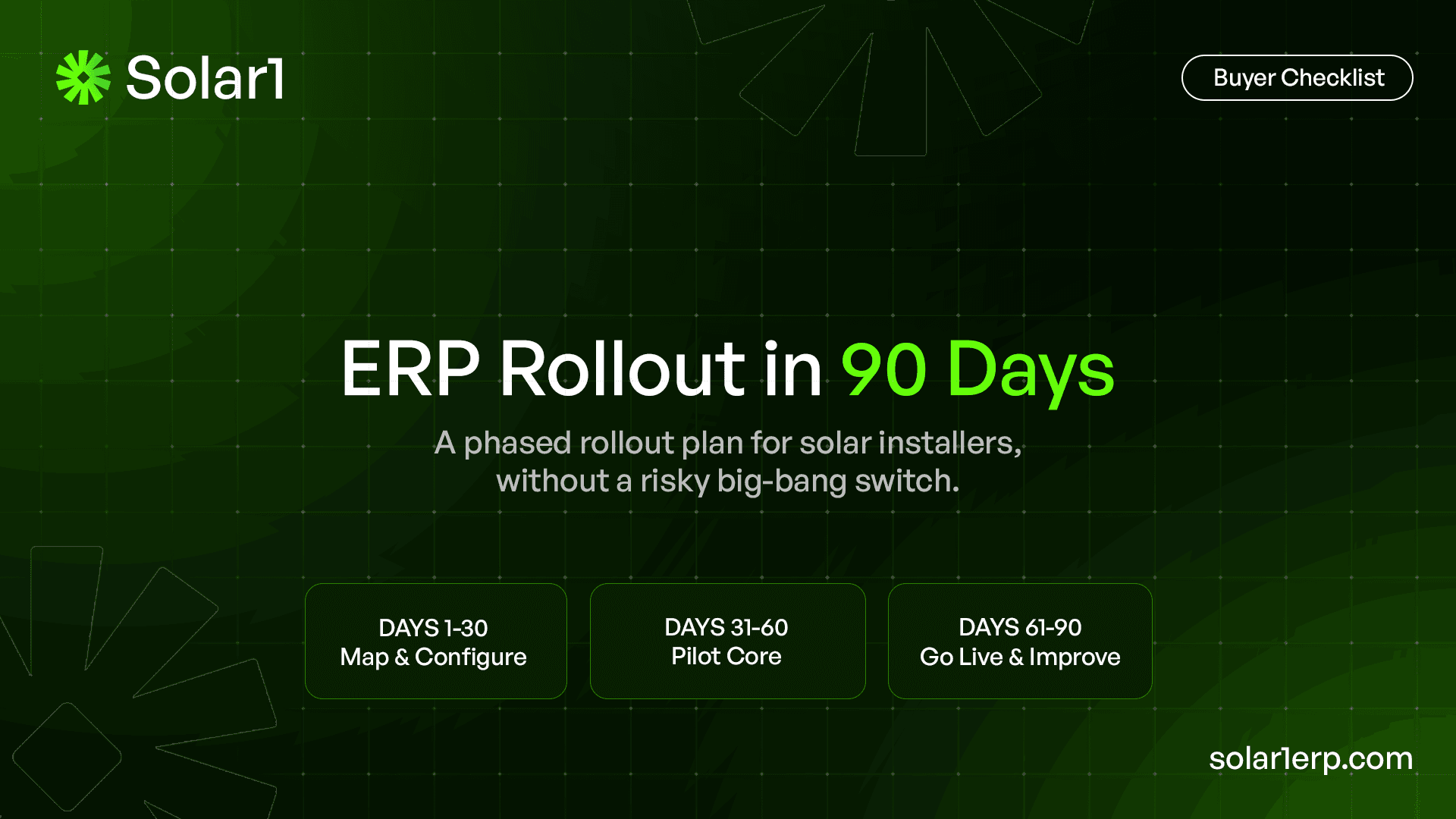
The safest solar ERP implementation is not a big-bang software switch.
It starts with the workflows that are already costing the company time, cash, and trust.
It gives each phase a clear operational outcome.
It uses real solar projects to test the system before old trackers are retired.
And it treats the first 90 days as the beginning of disciplined adoption, not the end of the ERP journey.
What is a 30-60-90 day solar ERP implementation plan?
A 30-60-90 day solar ERP implementation plan is a phased rollout framework for moving a solar installation company from disconnected spreadsheets and department-specific tools into one controlled operating system. During the first 30 days, the team defines scope, maps workflows, cleans data, assigns ownership, and configures the project foundation. During days 31 to 60, it pilots the most important cross-department workflows with real projects. During days 61 to 90, it completes cutover, retires parallel trackers, stabilizes reporting, and establishes ongoing support.
The framework is not a promise that every ERP module can be fully implemented in 90 days. A multi-branch EPC with complex accounting, payroll, warehouse, tax, and integration requirements may need several waves. The 90-day goal is narrower and more practical: establish a trusted operating foundation and put the highest-value workflows into daily use without disrupting active projects.
Why does implementation matter when choosing the best solar software?
The best solar software is not simply the product with the longest feature list. It is the system the company can configure around real workflows, adopt across departments, and use as the source of truth after launch. A platform can look impressive in a demo and still fail if the team cannot migrate data, define ownership, test exceptions, train users, or stop maintaining the old spreadsheet.
Implementation therefore belongs inside the buying decision. Before selecting solar ERP software, ask the vendor to explain the rollout model, required internal resources, data migration approach, training plan, support process, and the first measurable operational outcome. A strong implementation plan turns software capability into business control. A weak one converts a software purchase into another unfinished internal project.
The implementation question is becoming more important as the market scales. SEIA reported that the United States added 7.8 GW of solar capacity in the first quarter of 2026 and passed six million cumulative installations. Market growth does not prove that every installer needs ERP, but it increases the value of repeatable execution across more customers, projects, jurisdictions, equipment options, crews, and service obligations.
Why should solar installers avoid a big-bang rollout?
A solar company runs many linked processes at the same time: lead qualification, surveys, design changes, contracts, permitting, interconnection, purchasing, inventory allocation, crew scheduling, field evidence, inspections, milestone billing, payroll, job cost, warranty, and service. Switching every process for every user on one date creates a large failure surface. One unclear stage or bad data mapping can affect several teams at once.
SAP’s current ERP implementation guidance describes phased and pilot approaches as ways to reduce widespread disruption, gather feedback, and improve the system before broader deployment. Microsoft’s implementation guidance similarly recommends defining business value first, avoiding long waterfall efforts, delivering value early, and expanding over time. These principles fit solar operations well because the team can pilot a complete workflow on a limited group of real projects rather than launching isolated modules or replacing the whole company overnight.
A phased rollout does not mean moving slowly without accountability. Each phase needs firm deliverables, exit criteria, owners, dates, and decisions about what will no longer be maintained outside the ERP. The purpose is controlled learning, not indefinite parallel operation.
What should happen before Day 1?
The 90-day clock should begin only after the company has agreed on the first implementation wave. Starting the clock while the team is still debating the product, scope, or project sponsor creates artificial delay and weak accountability.
1. Define the business outcome
Write one sentence explaining why the company is implementing ERP. Examples include reducing permit follow-up misses, creating one reliable active-project view, linking material readiness to scheduling, shortening the delay between field completion and invoicing, or seeing committed project cost before installation. Avoid goals such as “digitize operations” because they are too broad to guide configuration decisions.
2. Select three or four connected workflows
The Solar1 content plan recommends beginning with three or four workflows rather than every module. Choose workflows that cross teams and have visible cost or risk. A strong first wave might include project status and ownership, permitting and interconnection, installation readiness and field completion, and milestone billing. These workflows connect operations, field, procurement, and finance without requiring every long-term ERP capability to launch at once.
3. Name the implementation team
Assign an executive sponsor, implementation lead, operations owner, finance owner, data owner, and respected frontline users. The sponsor resolves priorities, process owners define how work should move, and frontline users test whether the workflow works under real conditions.
4. Capture baseline measures
Measure the current process before changing it. Useful baselines include status-chasing hours, permit aging, readiness-related reschedules, time from field completion to invoice, conflicting project statuses, and the share of jobs with current cost information. Without a baseline, the team cannot prove improvement.
5. Set scope boundaries
Write down what is not included in the first 90 days. Advanced historical analytics, every old service record, every optional integration, full payroll redesign, and company-wide process standardization across several countries may belong in later waves. Clear exclusions protect the first rollout from becoming an endless requirements project.
Solar ERP implementation plan at a glance
| Phase | Primary objective | Workflows in focus | Main deliverables | Exit test |
|---|---|---|---|---|
| Days 1-30 | Build the operating foundation | Customer, project, stages, ownership, data, roles | Process map, clean data set, configured project model, pilot plan | Pilot users can run a project from signed handoff to the first operational milestone |
| Days 31-60 | Prove connected execution | Permits, interconnection, procurement, readiness, field, finance triggers | Tested workflows, exception handling, role training, reconciliation | Real pilot projects move through the system without relying on duplicate status trackers |
| Days 61-90 | Cut over and stabilize | Portfolio reporting, dashboards, support, adoption, optimization | Go-live, retired trackers, support process, KPI review, next-wave roadmap | Teams use the ERP as the operational source of truth and leadership can measure adoption |
Days 1-30: Map, clean, configure, and prepare the pilot
The first 30 days should produce a working project foundation, not a library of meeting notes. Define the customer, site, contract, project, stage, owner, blocker, required document, material requirement, and financial milestone. Also decide which information belongs inside the ERP and which specialist systems remain connected.
1. Map one normal project and one difficult project
Map a standard project from signed contract through survey, design, permit, interconnection, procurement, installation, inspection, PTO, billing, warranty, and service. Then map a difficult project with a revision, correction, substitution, delay, failed inspection, or customer change. For each stage, record the owner, required inputs, completion evidence, next trigger, systems used, and downstream teams. Map what people actually do, including spreadsheets, email, and chat.
2. Define one source of truth for core records
The ERP should own the connected customer, project, employee, material, service, and financial records. Specialist tools may perform focused calculations or transactions, but the team must agree where the approved result returns. Create an ownership table for customer identity, sold scope, design version, permit status, material allocation, crew assignment, project cost, invoice eligibility, payment status, and warranty history. When two systems share data, define which record wins.
3. Clean only the data required for the first wave
Oracle’s ERP planning guidance treats migration as inspecting, cleansing, transforming, and deciding what is worth moving. Begin with active customers, open projects, approved equipment, current vendors, purchase commitments, available inventory, outstanding invoices, and pilot users. Archive low-value historical data rather than importing duplicates, obsolete stages, inconsistent equipment names, and outdated statuses.
4. Configure the project lifecycle and exception reasons
Define stages that describe real operational progress, not vague department labels. A residential workflow might include sold, handoff incomplete, survey scheduled, design in progress, customer approval, engineering, permit preparation, permit review, procurement, install-ready, scheduled, installed, inspection, interconnection, PTO, closeout, and service. Commercial and community-solar projects may require additional engineering, contract, procurement, construction, commissioning, and billing gates.
For each stage, define required information, completion evidence, responsible role, target time, and permitted reasons for delay. A project should not move to install-ready because someone selected a status. It should move because permit, design, material, customer, crew, and site requirements meet defined conditions.
5. Configure roles, permissions, and approvals
Sales should see the information required to qualify and hand off work. Permit teams should control submissions and corrections. Warehouse teams should manage stock and project allocation. Field users should access current drawings, checklists, site instructions, and required evidence without seeing unnecessary financial or employee information. Finance should control invoices, payments, cost, and accounting approvals.
Role design is operational control. It prevents unapproved scope changes, protects employee and financial data, and clarifies who can move a project or reverse a transaction. Test roles using actual users, not only administrator accounts.
6. Build the pilot plan
Choose a limited but representative project set, not only the easiest jobs. A residential pilot might use ten to twenty active projects; a commercial EPC may use fewer, more complex jobs. Define the start date, users, support channel, review cadence, issue log, and decision process. Classify every issue as configuration, data, process, training, integration, or product gap.
Days 1-30 exit criteria
- The executive sponsor has approved the first-wave outcomes and scope.
- Every core record has a named system owner.
- Active pilot data has been cleaned and validated.
- Project stages, blockers, roles, and approvals are configured.
- A normal project and a difficult project can be demonstrated end to end.
- Pilot users know what will be tested and how issues will be reported.
- Baseline operational measures have been recorded.
Days 31-60: Pilot the workflows that move projects and cash
The second phase proves that the ERP can coordinate real work across departments and connect events that affect schedule, cost, cash, and customer communication.
1. Put permitting and interconnection into a controlled queue
Track the AHJ or utility, requirements, responsible owner, packet completeness, submission date, review status, corrections, resubmissions, fees, inspections, agreements, meter activity, PTO, and days in stage. Every waiting status should have a reason and a next action.
DOE lists permitting and interconnection among major solar soft-cost areas. NREL’s SolarAPP+ research shows the value of structured information and repeatable permitting workflows. ERP will not reproduce SolarAPP+ results, but completeness checks, ownership, and standardized status control still matter.
2. Connect approved scope to procurement and inventory
The approved design and sold scope should create project demand. Buyers should see purchase requests, supplier quotations, approvals, purchase orders, committed cost, delivery dates, substitutions, and late items. Warehouse users should see receipts, project allocations, transfers, serial numbers, material issuance, returns, and damaged stock.
Test what happens when a module or inverter changes after purchase. The system should identify affected orders, allocations, cost, permit documents, crew information, and customer commitments. A revision that changes equipment but does not reach procurement is not a minor data issue. It is a direct implementation failure.
3. Make installation readiness a controlled decision
Define the conditions required before a project can be scheduled or dispatched. Depending on the segment, these may include approved drawings, permit status, utility conditions, customer access, deposit status, prerequisite work, allocated materials, crew certifications, vehicle availability, and weather constraints.
Test a project that fails each condition. The schedule should show why the job is blocked, who owns the next action, and whether another ready project can take the crew slot. This is more useful than a calendar filled with dates that operations cannot trust.
4. Connect field completion to the office
Field teams should receive the current project scope, drawings, equipment, checklist, safety requirements, customer notes, and required evidence. They should return time, installed quantities, material use, photos, issues, changes, completion evidence, and customer acknowledgement.
Those updates should affect project progress, inventory, labor cost, punch-list work, inspection readiness, billing eligibility, and customer communication. Test offline or poor-connectivity conditions where relevant. Also test the user experience on the actual devices crews will carry.
5. Configure finance triggers and reconciliation
Define the operational evidence required for deposits, progress invoices, installation invoices, final invoices, retention, vendor bills, expenses, payroll impact, and revenue recognition where applicable. Finance should not need to ask operations in chat whether a milestone is complete.
Reconcile pilot transactions against existing accounting records. Check customer balances, open receivables, purchase commitments, inventory value, project labor, expenses, and job cost. The purpose of the pilot is not only to make transactions post. It is to prove that operations and finance describe the same project.
6. Run user acceptance testing with exceptions
User acceptance testing should cover the normal path and real exceptions: duplicate lead, incomplete survey, design revision, permit correction, supplier delay, equipment substitution, crew absence, failed inspection, extra field visit, payment delay, and warranty replacement. Confirm ownership, permissions, downstream effects, reporting, and recovery.
7. Train by role and task
Train by role, not through one generic product tour. Sales needs qualification and handoff. Operations needs stages and blockers. Permit teams need queues and corrections. Procurement needs demand and allocation. Field users need mobile tasks and evidence. Finance needs triggers, reconciliation, cost, and reporting. Use the company’s own projects and require users to complete tasks themselves.
Days 31-60 exit criteria
- Pilot projects are being updated in the ERP by the responsible users.
- Permit, interconnection, procurement, inventory, field, and finance handoffs work across the selected scope.
- Exception scenarios have been tested and documented.
- Reconciled data matches agreed source records.
- Users can complete role-specific tasks without implementation staff taking over.
- Critical issues have owners and target resolution dates.
- Leadership has reviewed pilot results against the original baselines.
Days 61-90: Cut over, stabilize, measure, and plan the next wave
The final phase converts a successful pilot into normal operations. The main risk is quiet reversion: users keep the old tracker, managers request spreadsheet reports, and the ERP becomes a secondary copy rather than the operating record.
1. Make a formal go-live decision
Review scope, open critical issues, data readiness, integration readiness, user acceptance results, permissions, reports, cutover tasks, support coverage, and rollback options. Microsoft’s go-live guidance emphasizes solution acceptance, user testing, performance, integrations, data validation, external dependencies, change readiness, and operational support. The project sponsor should approve go-live based on evidence, not calendar pressure.
2. Complete the cutover and freeze duplicate updates
Set a clear date and time for the selected workflows to move into the ERP. Import final changes from systems that remained active during the pilot, validate record counts and balances, and communicate where new work must be entered. Parallel tracking may continue briefly for validation, but it needs an owner and an end date.
Retire operational spreadsheets deliberately. Archive them, remove edit access, label them as historical, or replace them with ERP reports. Leaving the old file open without a cutover decision creates two sources of truth.
3. Launch dashboards that drive action
Begin with a small set of operational dashboards: projects by stage and age, blockers by owner, permit and interconnection aging, installation readiness, material shortages, crew capacity, milestone billing eligibility, receivables, committed cost, forecast margin, and service backlog.
Dashboards should lead to action. A red permit queue should show the missing document or next follow-up. A margin alert should show the cost movement. A readiness dashboard should show which dependency is incomplete. Avoid launching dozens of decorative charts that users cannot act on.
4. Run a daily stabilization cadence
For the first two weeks after cutover, review critical issues daily. Track severity, workflow, affected users, workaround, owner, and resolution target. Separate training needs from configuration gaps and defects. Reduce the cadence as the system stabilizes, but retain the issue log as support knowledge.
5. Measure adoption and operational outcomes
Adoption is not the number of logins. Measure whether responsible users are completing work in the ERP and whether the old sources are disappearing. Useful indicators include percentage of active projects with a current owner and stage, percentage of field completions with required evidence, percentage of purchase commitments linked to projects, invoice-trigger lag, permit follow-up compliance, and number of side trackers still in use.
Compare these measures with the Day 1 baselines. An illustrative example: if four team leads each reduce status chasing by 30 minutes per working day, the company recovers about 500 hours across 250 working days. At an illustrative loaded labor cost of $45 per hour, that is $22,500 in annual capacity. This is not an industry benchmark or guaranteed saving. Each installer should use its own labor, delay, rework, and cash data.
6. Create the next 90-day roadmap
The first rollout should expose the next highest-value gaps. These may include CRM and forecasting, deeper design workflow, HR and payroll, fleet, multi-warehouse controls, customer portals, service and warranty, advanced job costing, cash forecasting, or management analytics.
Prioritize the next wave using business impact, dependency, data readiness, user capacity, and implementation risk. Keep the same discipline: define outcomes, choose connected workflows, assign owners, pilot with real projects, establish exit criteria, and retire old sources of truth.
Days 61-90 exit criteria
- The selected workflows are live for the agreed users and projects.
- Old operational trackers are archived or have a dated retirement plan.
- Support ownership and escalation paths are documented.
- Leadership dashboards use ERP data.
- Adoption and operational measures are reviewed against baseline.
- Remaining issues are classified and prioritized.
- The next implementation wave has an approved scope and owner.
What should not be forced into the first 90 days?
A 90-day plan should not become a race to activate every checkbox. Large historical migrations, multi-country finance and payroll, complex tax, major custom development, several legal entities, warehouse redesign, and deeply integrated external systems may require longer.
Do not copy every spreadsheet field or workaround. Keep fields that drive decisions, compliance, transactions, customer commitments, or useful analysis. Specialist CAD, production modeling, aerial imagery, financing, banking, payments, telematics, utility data, and monitoring may remain external, while the ERP retains the approved result and business impact.
What makes a solar ERP implementation fail?
No clear process owner
When no one owns the definition of a workflow, configuration decisions become opinion contests. Assign one accountable business owner for each process, supported by users from affected teams.
Too much scope
Trying to launch CRM, design, projects, permits, procurement, inventory, field, HR, payroll, accounting, service, analytics, and every integration at once creates testing and adoption risk. Launch connected value, then expand.
Dirty data
Duplicate customers, inconsistent equipment naming, missing addresses, outdated project stages, and unverified inventory weaken trust immediately. Clean the data needed for live operations and archive the rest.
Training without adoption control
A demonstration does not change behavior. Users need role-based practice, support, feedback, and a clear decision that the ERP replaces the old operating record.
Reporting before workflow discipline
Management dashboards cannot be trusted when stages, owners, costs, or field completions are not updated consistently. Fix the workflow that creates the data before polishing the chart.
Customizing before using the standard process
Heavy customization can increase cost and make future changes harder. Begin with the standard capabilities, identify genuine operational gaps through the pilot, and extend only where the business value is clear.
How should buyers evaluate implementation when comparing the best solar software?
Ask every shortlisted vendor the same implementation questions:
- What business outcome can realistically go live first?
- Which internal roles are required, and how much time must they commit?
- How are customer, project, inventory, employee, and financial records migrated?
- How does the system handle a design revision, permit correction, material substitution, failed inspection, and delayed payment?
- What training is provided for each role?
- What are the go-live and rollback criteria?
- How are integrations monitored and supported?
- How are old spreadsheets retired?
- Which capabilities are currently available, in pilot, in development, or planned?
- How will we measure adoption and operational improvement after launch?
The best solar software for one installer may be the wrong choice for another. Product depth matters, but so do implementation fit, segment, project mix, internal resources, data quality, support model, and the company’s willingness to standardize its own process. A credible vendor should be specific about tradeoffs rather than promising that every module can be switched on immediately.
How is Solar1 approaching a 30-60-90 day rollout?
Solar1 is being built as a complete solar-specific ERP for installation companies and EPCs. Its product direction includes CRM, surveys, design workflow, proposals, projects, engineering, permitting, interconnection, procurement, inventory, field operations, HR, payroll, fleet, accounting, customer communication, service, warranty, analytics, permissions, and administration.
The intended rollout model is phased around the installer’s highest-cost workflows. A first implementation wave could establish the trusted customer and project record, define stages and ownership, connect permitting and interconnection, control material and installation readiness, capture field completion, and connect operational evidence to finance. Later waves can add broader capabilities based on business priority and readiness.
Solar1 is still under development. This guide describes the implementation model and capability scope a complete solar ERP should support. It does not confirm that every listed capability is currently production-ready or guarantee that every installer can complete its full ERP rollout in 90 days.
The 90-day goal is trusted daily use
A successful 90-day implementation does not end with every module activated. It ends with the company using the ERP to run a meaningful part of the business without rebuilding the truth in spreadsheets.
By Day 30, the team should know what the process is, who owns it, and which data can be trusted.
By Day 60, real projects should move through the selected workflows, including exceptions.
By Day 90, the old trackers should be retiring, leadership should be using operational dashboards, and the next rollout wave should be based on measured results.
That is the standard buyers should apply when comparing the best solar software: not how many features appear in a demo, but how safely the platform can become the operating system for the solar business.
Steps
- Define the first business outcome
Choose a measurable result such as fewer permit follow-up misses, reliable installation readiness, faster invoice triggering, or current project cost visibility.
- Select three or four connected workflows
Limit the first wave to workflows that cross teams and affect schedule, cost, cash, or customer communication.
- Assign sponsors and process owners
Name an executive sponsor, implementation lead, data owner, operational owners, finance owner, and frontline pilot users.
- Map normal and difficult projects
Document the real project lifecycle and exception paths, including revisions, corrections, shortages, delays, failed inspections, and payment issues.
- Clean and migrate first-wave data
Move accurate active records and archive low-value historical data rather than importing duplicates and obsolete statuses.
- Configure and pilot with real projects
Set stages, roles, approvals, blockers, required evidence, and finance triggers, then test them on representative live projects.
- Train users by role
Use the company’s terminology and require each user group to complete its actual tasks in the new workflow.
- Cut over and retire parallel trackers
Validate final data, set a formal go-live date, archive old operating spreadsheets, and make the ERP the source of truth.
- Measure adoption and plan the next wave
Compare operational results with Day 1 baselines, resolve gaps, and prioritize the next connected capabilities.
Frequently asked questions
Can a solar ERP really be implemented in 90 days?
A focused first wave can often be planned around 90 days when scope is limited to a few connected workflows, clean active data, a representative pilot, and clear ownership. A full multi-entity rollout involving complex accounting, payroll, warehouses, tax, and custom integrations may require additional waves.
What should a solar installer implement first in ERP?
Start with the workflows that create the greatest operational cost or risk. Common first-wave priorities include one trusted customer and project record, project stages and ownership, permitting and interconnection, material and installation readiness, field completion, and milestone billing.
Is a phased ERP rollout better than a big-bang rollout?
For most solar installers, a phased or pilot-led rollout reduces disruption and gives the team time to test real exceptions before expanding. A big-bang rollout may be appropriate in limited situations, but it creates a larger failure surface because many linked processes change at once.
How much historical data should be migrated into a solar ERP?
Migrate the data required to run current operations and meet reporting or compliance needs. Active customers, open projects, approved equipment, vendors, inventory, purchase commitments, receivables, and users are usually more valuable than importing every low-quality historical spreadsheet.
How should solar teams be trained during ERP implementation?
Training should be role-based and use the company’s own projects. Sales, operations, permitting, procurement, warehouse, field, finance, HR, and service users should practice the tasks they will perform rather than attend one generic product demonstration.
How does implementation affect the choice of the best solar software?
The best solar software is the platform that fits the installer’s workflows and can become the trusted operating system after launch. Buyers should compare rollout scope, data migration, exception handling, role-based training, support, adoption measures, and verified product availability alongside features and price.